

Hotkey Activation
Press "Win + Shift + Q" to immediately activate the tool.
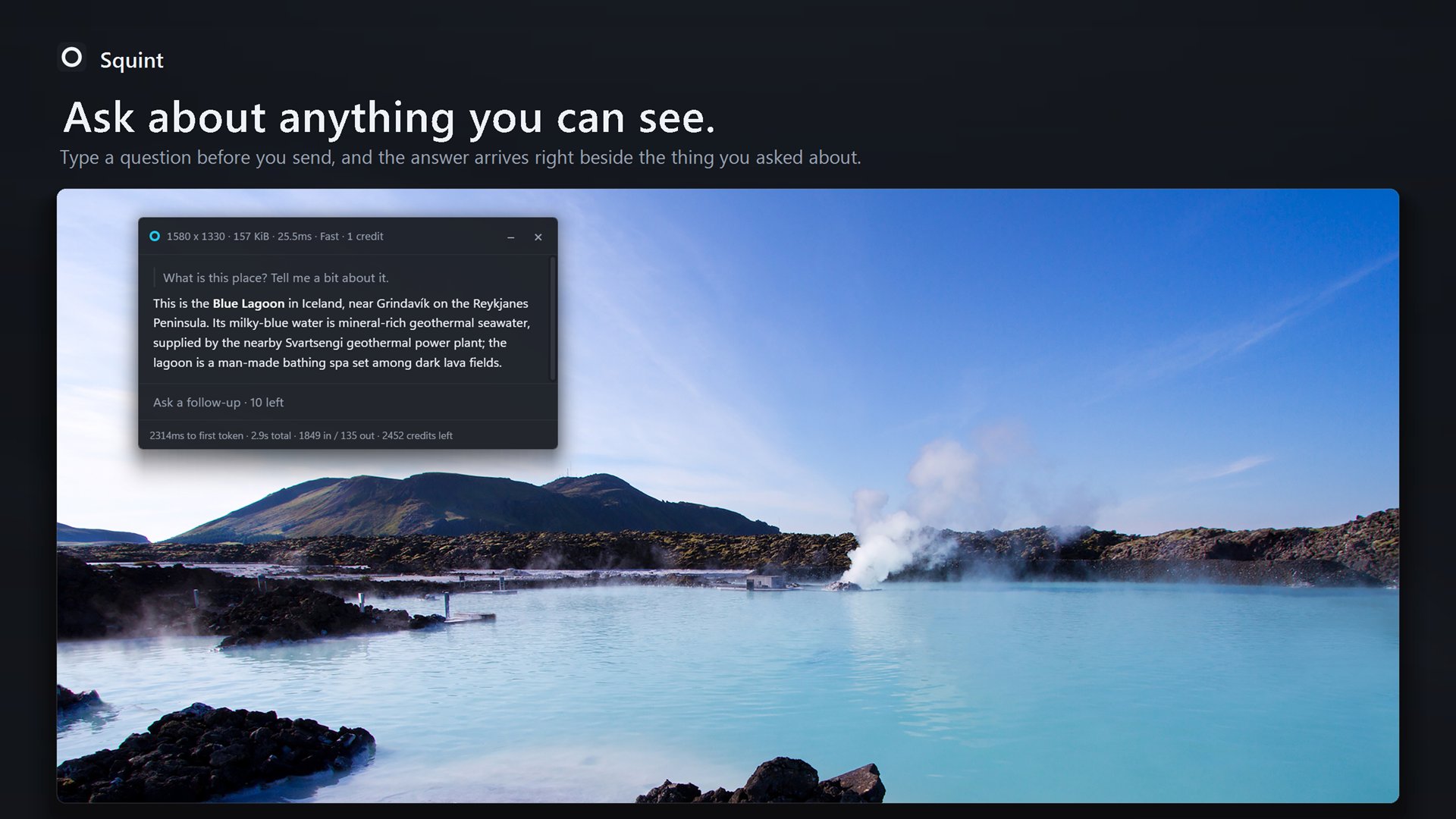
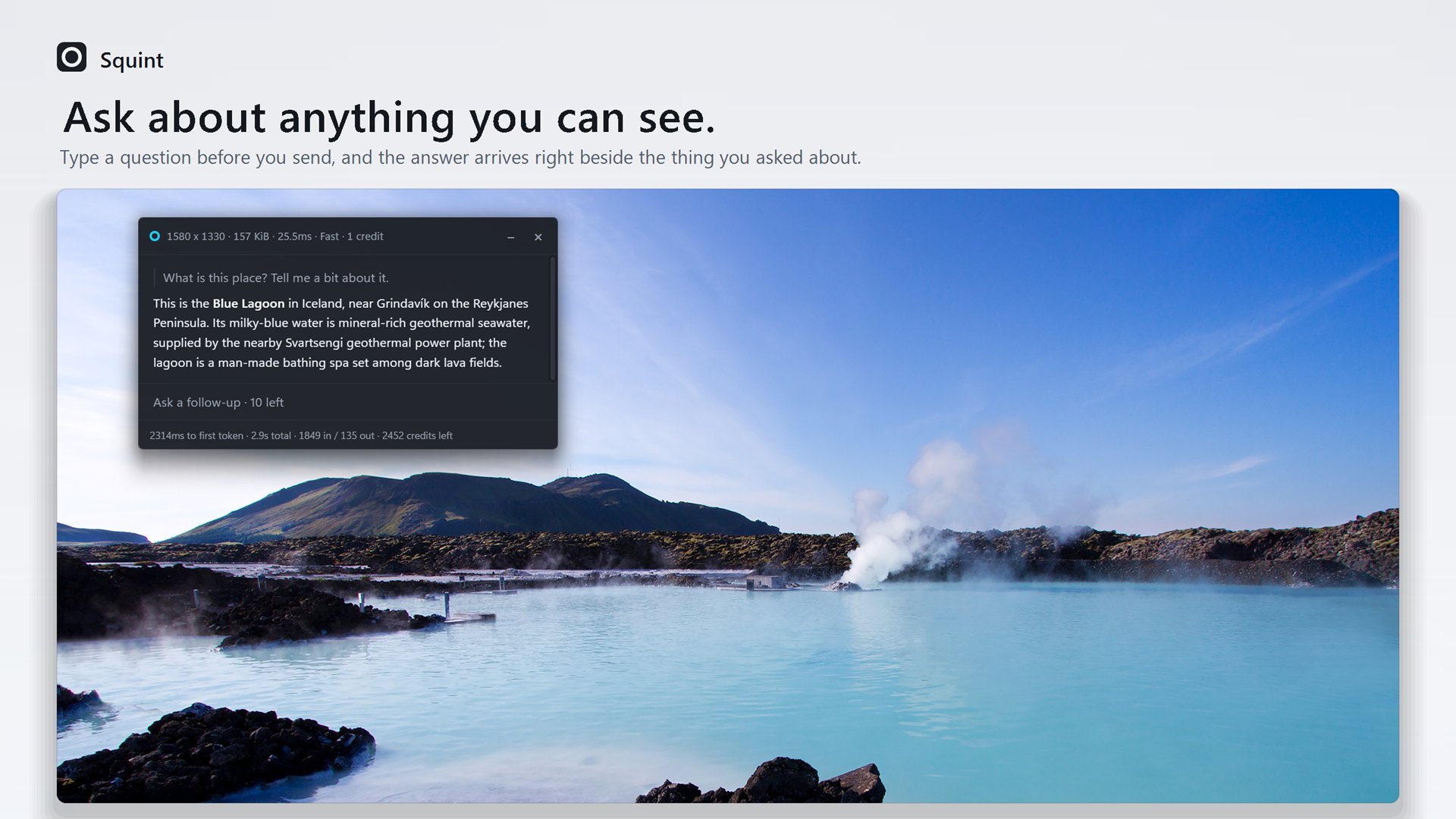
Drag a box around whatever is confusing. The answer appears beside it — no switching apps, no describing what you are looking at, no chat window to feed.
WindowsLinuxmacOS coming soonFree plan, no card
What Squint is
Squint waits in your tray until you call it, with its hotkey or its Squint Capture shortcut. Drag a box around anything on your screen and an answer streams in beside it. There is no window to open, no file to upload and nothing you have to describe — what you point at is the question.
Why it's different
Typical Workflow
Squint's Workflow
Everything else on the left was logistics. None of it was thinking about your problem.
The cost is not the minute. It is that the paragraph has gone cold and you have to rebuild what you were holding in your head — six times before lunch is a morning that never got going.
What you get
Anything you have to wait for is something you weigh up first, and the tool you skip when you are busy is the one you needed most.
Press "Win + Shift + Q" to immediately activate the tool.
Every response streams to your screen. The streaming speed is configurable in the app's settings.
Ask again in the panel. No second screenshot, no re-explaining.
Fast, or Best for the hard ones. Pick per capture, or leave it on Fast.
Supports Markdown, mathematical expressions, and code blocks.
Dracula, Nord, Gruvbox, Catppuccin and more — the accent colours the selection border too.
The chat window sizes dynamically based on the length of the response.
Hold "Shift" to drag and select an additional region. Limited to 4 at once.
Stored locally, searchable, and ready to carry on where you left off.
Pricing
No card, no countdown, no feature held back to make a point. If ten captures a week is enough for you, that is the product.
$0
Enough to find out whether this belongs in your day.
Download Squint and create a free account. No card.
$10/month
For the point where you stop counting them.
We'll email you a link that opens checkout. Cancel any time.
A capture costs 1 credit on the Fast model and 25 credits on the Best model, and each follow-up costs what its capture did. You pick the model from Squint's settings or from the pill inside the prompt box rather than being asked mid-capture. Free accounts are counted in captures rather than credits. A capture that fails, or comes back blank, is never charged for.
Signed in on up to 3 devices, on either plan.
Download
Windows and Linux today, macOS next — same hotkey, same answer. No card and no trial countdown. You need a free account, and an email address is all it takes.
Once it is installed, press Win Shift Q anywhere to capture, or click Squint Capture in the Start menu — rebind the keys later if they are spoken for. Signing in is an email address and a link — there is no password to choose. The free plan is three captures a day, up to ten a week, and needs nothing else from you.
Questions
No. It sits in the tray doing nothing until you press the hotkey or click Squint Capture. That one action is what takes the screenshot, and there is no recording, no polling and no background capture in between.
The region you dragged goes to OpenAI's API, which reads it and writes the answer. It is gone from our side once the answer has come back. OpenAI does not train on anything its API is sent, and keeps it only in abuse-monitoring logs, for up to 30 days. The rest of your screen never left your machine in the first place. How OpenAI handles API data
An email address, and that is all. There is no password to choose or lose: you get a link, you open it, and the app signs itself in.
One of two, and you decide per capture — Fast or Best. Fast is the default and it is what most captures use; Best is there for the screenshot that turns out to be hard, like dense fine print you need read exactly.
The answer comes from a model over the network, so no. Everything before the answer is local — the hotkey, the frozen screen, the selection, the crop — which is why the part you interact with stays quick on a bad connection.
Yes. It is Win+Shift+Q out of the box, and you can point it at whatever your hands already expect.
All fine. Squint captures the display your cursor is on, at that display's own resolution and scale, and turns a rotated one the right way up before anything reads it.
No, and it is built not to become one. Every conversation starts with a capture — there is no way to begin one without — and each allows a fixed number of follow-up questions that reopening it does not refill. Closed chats are kept on your own computer, where you can search them and carry one on, and you can switch that off.
Help
Anything about signing in, credits, a plan, or whether Squint can do the thing you have in mind. Say what you were trying to do and you will get an answer rather than a ticket number.
For a bug, three things make a report almost always fixable: which platform you are on, what you were capturing, and what you expected instead of what you got. A photo of the panel helps if it is on screen — and if the capture came back black, say which app it was.